
Email Security Best Practices for Small Businesses in 2026
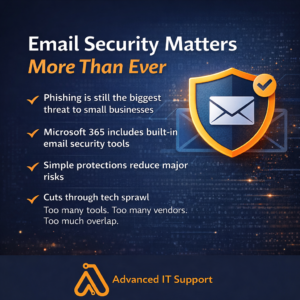
Email remains the most common entry point for cyber attacks against small businesses. Phishing, account takeovers, and malware delivered through email continue to cause downtime, data loss, and financial damage. The problem is not that email technology is unsafe. The problem is that email is often configured with minimal protection and inconsistent policies. This guide outlines practical email security best practices small businesses should follow in 2026 to reduce risk without adding unnecessary complexity.Why Email Is Still the Primary Attack Vector
Email works because it is trusted. Attackers take advantage of that trust by sending messages that look legitimate and urgent. Common email based threats include:- Phishing emails that steal passwords
- Malicious links that lead to fake login pages
- Attachments containing malware or ransomware
- Business email compromise scams
Multi Factor Authentication Is Non Negotiable
Passwords alone are no longer enough to protect email accounts. Even strong passwords are frequently exposed through phishing or reused across services. Multi factor authentication adds a second layer of protection that blocks most unauthorized access attempts. This should be enabled for:- All email users
- Administrators
- Remote access and cloud applications
Advanced Email Filtering Reduces Risk
Basic spam filtering catches obvious junk but often misses targeted attacks. Modern email filtering focuses on behavior and intent, not just known signatures. Effective filtering includes:- Link scanning and rewriting
- Attachment sandboxing
- Impersonation detection
- Domain spoofing protection
User Awareness Matters More Than Ever
Technology alone cannot stop every phishing attempt. Employees are often the last line of defense. Basic awareness training helps users recognize:- Unexpected login requests
- Urgent financial messages
- Suspicious attachments
- Messages that do not match normal communication patterns
Secure Configuration of Microsoft 365
Many small businesses use Microsoft 365 but do not take full advantage of its security features. Proper configuration includes:- Conditional access policies
- Secure sharing controls
- Audit logging
- Account and sign in monitoring
Email Security and Ransomware Prevention
Email security plays a direct role in ransomware prevention. Many ransomware incidents begin with a single malicious attachment or compromised account. Reducing email risk supports the broader security strategy outlined in why every small business needs a modern backup strategy and our ransomware prevention guidance.Why Reactive IT Support Increases Email Risk
Email security issues are often discovered after damage has already occurred. Without monitoring and enforcement, policies drift and protections weaken over time. Ongoing IT management ensures email security remains consistent and effective. Many businesses choose managed IT services to maintain email security alongside other critical systems. We explain this proactive approach in what managed IT services actually include.Final Thoughts
Email security does not need to be complex, but it does need to be intentional. Multi factor authentication, modern filtering, user awareness, and proper configuration dramatically reduce risk. Small businesses that treat email security as a core part of their IT strategy experience fewer incidents and less disruption. If you want to better understand your current email security posture, a free IT assessment can help identify gaps and next steps. If you have questions or want guidance, feel free to contact our team.Related Blog Posts
These articles provide additional guidance on improving security and protecting business systems: